Guide · 05
Card calcs
A card calc is a domain-specific detail sheet — TVM, run pace, pizza dough — that turns a small vocabulary of RPN words into a tap-to-edit form. You still get a stack value at the end; the card is a friendlier surface for filling in the inputs, watching derived rows recompute, and — on cards that have one — picking which variable to solve for.
Opening a card
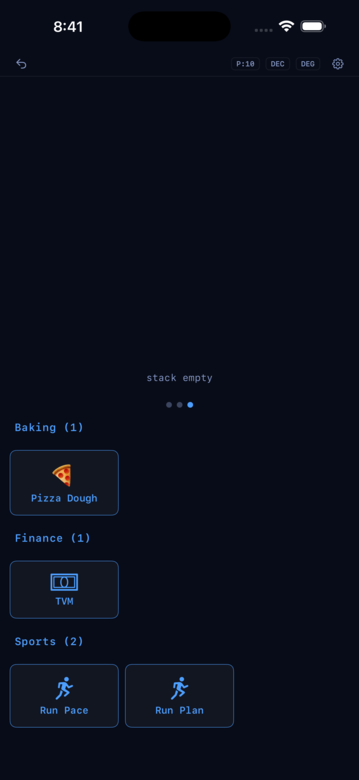
Cards live on Page 3 of the keypad pane. Swipe left in the page-dots strip at the bottom of the pane (or on the REPL area above the keypad) to get there. You’ll see a grid of tiles grouped by category — Finance (TVM), Sports (RunPace, RunPlan), Baking (Pizza Dough). Tap a tile to open the card.
Swipe down or tap outside the sheet to dismiss. Anything the card computed sticks on the stack — the sheet is just the editing surface.
Anatomy of a card
Every card follows the same rendering primitives; each card uses the subset that makes sense for its domain:
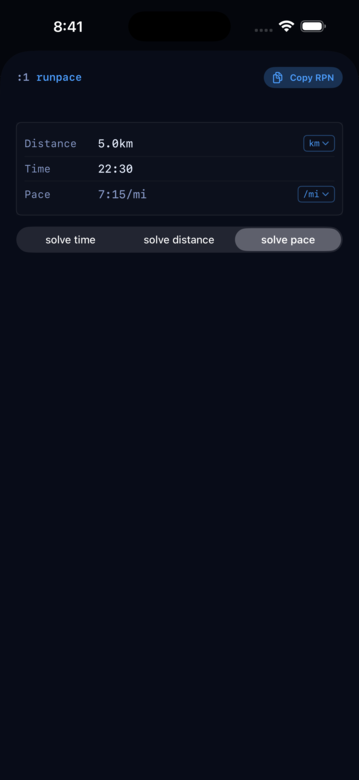
- Input rows — each row is one field: a label, the current value, and (on Quantity fields) a small unit chip on the right.
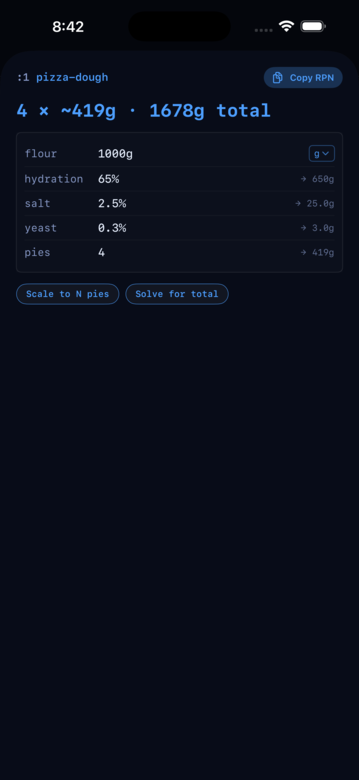
- Derived rows — read-only outputs interleaved with the inputs, computed from the fields above them. Pizza Dough shows five (water, salt weight, yeast weight, total, per-pie); RunPlan derives VDOT.
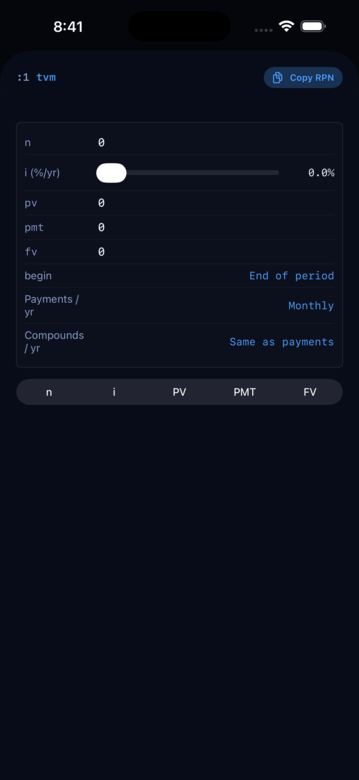
- Solve-for picker — TVM and RunPace have a segmented control that names the field to solve for; every other field becomes an input. RunPlan and Pizza Dough don’t have this.
- Action buttons — Pizza Dough has two: Scale to N pies and Solve for total. TVM’s picker rows (begin/end, Payments/yr, Compounds/yr) are also selection controls.
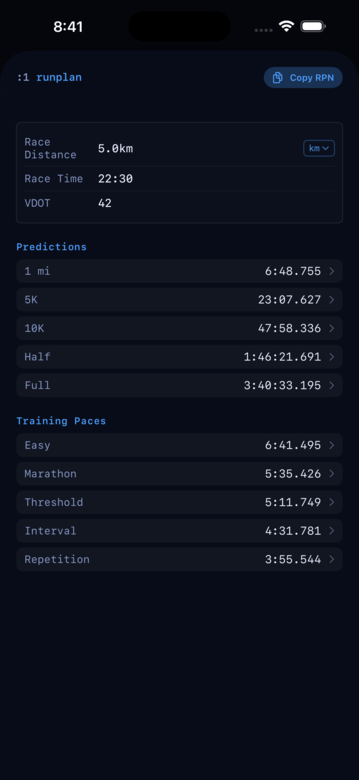
- Tables — RunPlan shows two: Predictions across race distances, and Daniels training paces.
- Banner — Pizza Dough is the one card that shows a top-of-sheet summary (
{pies} × ~{pie-weight} · {total} total). The others have an empty banner slot.
Editing a field
Tap the value on any input row. A numeric keyboard appears; type the new value and dismiss. The card recomputes immediately — every derived row and every table updates against the new inputs.
Rows whose value is a Quantity — a distance, a flour weight, a pace — show a unit chip to the right of the value. Tap the chip to pick a different unit for that row: kilometres or miles for distance, grams or ounces for flour, per-mile or per-kilometre for pace. The stored value doesn’t change; only the display and the input keyboard’s expected unit do. Plain-number fields (TVM’s dollars, RunPlan’s VDOT) have no chip.
Time fields render as clock. RunPace’s time defaults to 22:30 (22 minutes, 30 seconds); enter longer durations as 1:15:30 for 1 hour 15 minutes 30 seconds. Pace, which is a Quantity carrying a s/km or s/mi unit, renders clock-over-unit — 4:30/km — and accepts the same clock entry.
Picking what to solve for
Two of the four cards have a solve-for picker. TVM’s is N / I / PV / PMT / FV; RunPace’s is time / distance / pace. Changing the picker toggles which row is derived and which are inputs — the solved row shows a small badge next to its value. RunPlan doesn’t need one (it auto-recomputes VDOT on any field edit). Pizza Dough uses discrete action buttons instead.
You can drive the same computations from the REPL — every method in a card is an RPN word that lives on the class. The picker is the discoverable surface.
Auto-recompute
Every edit re-runs the card’s math. There’s no compute button and no submit. If you’re comparing two scenarios, tap a value, change it, watch the derived rows move; tap again, change it back.
Tables (RunPlan)
RunPlan is the largest card. Given your current VDOT it shows two tables:
- Predictions — race times at 1 mi, 5K, 10K, half marathon, and marathon.
- Training paces — pace ranges for easy, marathon, threshold, interval, and repetition workouts.
Tap any row in a table to push that value onto the stack and dismiss the sheet. Handy when you want to feed a predicted 5K time into a follow-up computation.
What ships today
Four cards. All four are the same framework — same field rows, same solve-for picker, same auto-recompute. Unit chips appear on Quantity-typed rows (all of RunPace, most of Pizza Dough) and are absent where the fields are plain numbers (TVM, RunPlan’s VDOT).
TVM (Finance)
Time value of money — the HP-12C solver. Numeric fields: N, I, PV, PMT, FV — the segmented Solve-for picker chooses which of these five to compute. Configuration pickers underneath: begin- vs end-of-period payments, Payments/yr, Compounds/yr. A classic mortgage: PV = -300000, I = 5, N = 360, FV = 0, solve PMT. See the Finance page for the full TVM story.
RunPace (Sports)
The pace / time / distance triangle. Set any two, solve the third. Distance in km or mi, pace in min/km or min/mi, time as HMS. Try this: set distance to 5_km, time to 22:30, and pick “Solve pace” — the pace row shows 4:30/km.
RunPlan (Sports)
Daniels VDOT. Fields: Race Distance, Race Time, VDOT — editing any of them recomputes VDOT. The card fills in predictions across five race distances (1 mi, 5K, 10K, Half, Full) and the five Daniels training-pace bands (Easy, Marathon, Threshold, Interval, Repetition). Try this: set Race Distance to 5_km, Race Time to 20:00, then tap the Full row in the Predictions table — the predicted marathon time lands on the stack.
Pizza Dough (Baking)
Fields: flour (Quantity, g by default), hydration %, salt %, yeast %, pies. Derived rows show water, salt weight, yeast weight, total weight, and per-pie weight — all recomputed on every edit. Two action buttons: Scale to N pies (rescales flour so the pie count changes but per-pie weight stays put) and Solve for total (rescales flour so the total dough weight hits a target). Flour carries a unit chip (grams / ounces); the percentages are just numbers.
Under the surface
Every card is a JSON declaration that the engine walks to install a class. The fields live on the engine side; the UI is a snapshot view. When you edit a row the UI emits an RPN fragment against the class — no card-specific code in Swift. The four cards each declare a different shape (TVM has 8 fields, RunPlan has 3), but they all decode into the same rendering primitives: tap-to-edit rows, unit chips on Quantity fields, action buttons, tables, banner. That’s why a future card is a JSON edit, not a UI rewrite.